
VTchromizer: A Simple Guide to Browser-Based Security 2026
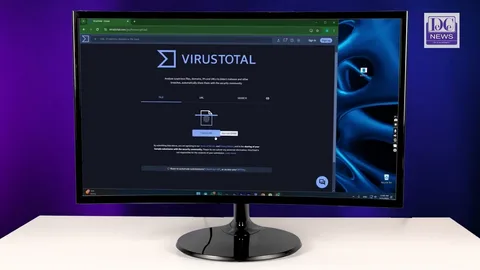
VTchromizer is a browser extension associated with VirusTotal that was created to make checking suspicious links easier. Instead of opening an unfamiliar website first and hoping it is safe, users could send a link to VirusTotal for analysis directly from the browser. The project has evolved over time, and its original features are now represented by newer VirusTotal browser tools.
For anyone researching VTchromizer, two things matter most: how it helped users check suspicious online resources and how its features developed into modern browser-based threat intelligence tools.
VTchromizer and Easy Link Checking
The main idea behind VTchromizer was straightforward: make VirusTotal easier to access while browsing.
Checking a Link Before Visiting
The original extension added a context-menu option that allowed users to right-click a link and submit its URL to VirusTotal. This meant a suspicious destination could be analyzed before the user actually visited it. VirusTotal described this as one of the extension’s core purposes when it introduced VTchromizer.
This approach was useful because links can sometimes be misleading. A familiar-looking button, shortened URL, or unexpected download link may lead somewhere very different from what the user expects. Checking a URL first gives people another source of information before they decide whether to continue.
VTchromizer was therefore less about replacing security software and more about making an existing security-checking service easier to reach.
Why VirusTotal Made the Extension Useful
VirusTotal is designed to analyze files and URLs using multiple security engines and reputation sources. Its browser extensions have historically provided a convenient way to access that information without repeatedly copying addresses into a separate website.
The important point is that a scan is not an absolute guarantee that a website is safe. A clean result should be treated as useful evidence, not as permission to ignore other warning signs.
Users should still be careful with unfamiliar websites, unexpected downloads, fake login pages, and messages asking for personal information.
VTchromizer Features and Its Evolution
VTchromizer also became more than a simple link scanner. VirusTotal later added a feature that allowed selected text to be checked through the extension. When the selected text was an MD5, SHA-1, or SHA-256 hash, the extension could use it to find a corresponding VirusTotal file report. Other selected text could also be searched for related VirusTotal Community information.
From VTchromizer to Modern Browser Tools
The original VTchromizer name is now largely historical. The Chrome Web Store currently lists a newer product called VT4Browsers + Google TI, offered by vtchromizer-devs. The current extension builds on the VirusTotal browser-extension concept and provides features such as indicator detection, threat-intelligence context, and proactive download protection.
This evolution is important for anyone searching for VTchromizer today. An old article may describe the extension as a basic right-click URL scanner, while the current Chrome Web Store listing describes a much broader security and threat-intelligence experience.
The underlying goal remains similar: bring useful security information closer to the user’s normal browsing activity.
Using Browser Security Tools Wisely
A browser security extension can be convenient, but it should be considered one layer of protection rather than a complete security solution.
Do Not Depend on One Scan
Security scanners can produce different results. A website that receives no detections is not automatically trustworthy, while a detection may sometimes require additional investigation.
Pay attention to the context around a link. If an unexpected message asks you to log in, download a file, or provide sensitive information, pause before taking action.
Keep Your Browser and Extensions Updated
Browser extensions can change considerably over time. The current VirusTotal-related Chrome extension, for example, has received updates that add newer threat-intelligence capabilities.
Keeping software updated helps ensure that you receive current fixes and features. It is also sensible to review installed extensions occasionally and remove ones you no longer need.
Why VTchromizer Still Matters
The lasting value of VTchromizer is its simple approach to online safety. Instead of making users perform several separate steps, it placed security analysis closer to the links and information they were already viewing.
That idea remains relevant today. Modern browser security tools can identify URLs, domains, IP addresses, and file hashes and provide additional reputation or threat-intelligence information while users browse.
For students, researchers, everyday internet users, and security professionals, this type of integration can make it easier to pause and investigate something questionable before interacting with it.
Final Thoughts
VTchromizer became known for making VirusTotal link checking more convenient from within Chrome. Its original focus was simple: let users analyze suspicious links and other information without leaving their browsing workflow. Over time, that concept developed into more advanced VirusTotal browser extensions with broader threat-intelligence features.
If you come across the term VTchromizer today, it is best understood as the earlier name and foundation of a browser-security approach that has continued to evolve. The key lesson remains useful: when a link looks questionable, taking a moment to check it can be much better than opening it without thinking.